
Case study, our own app
Cuefold: a teleprompter camera that cuts your retakes
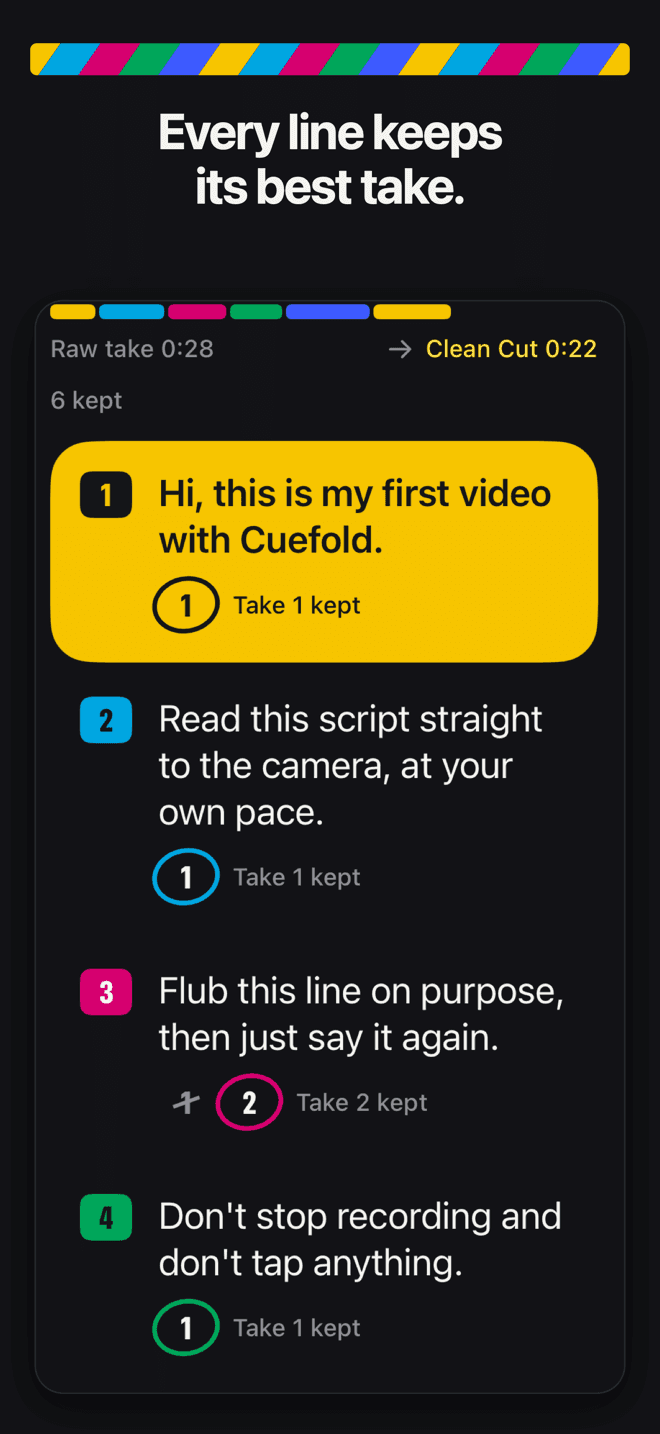
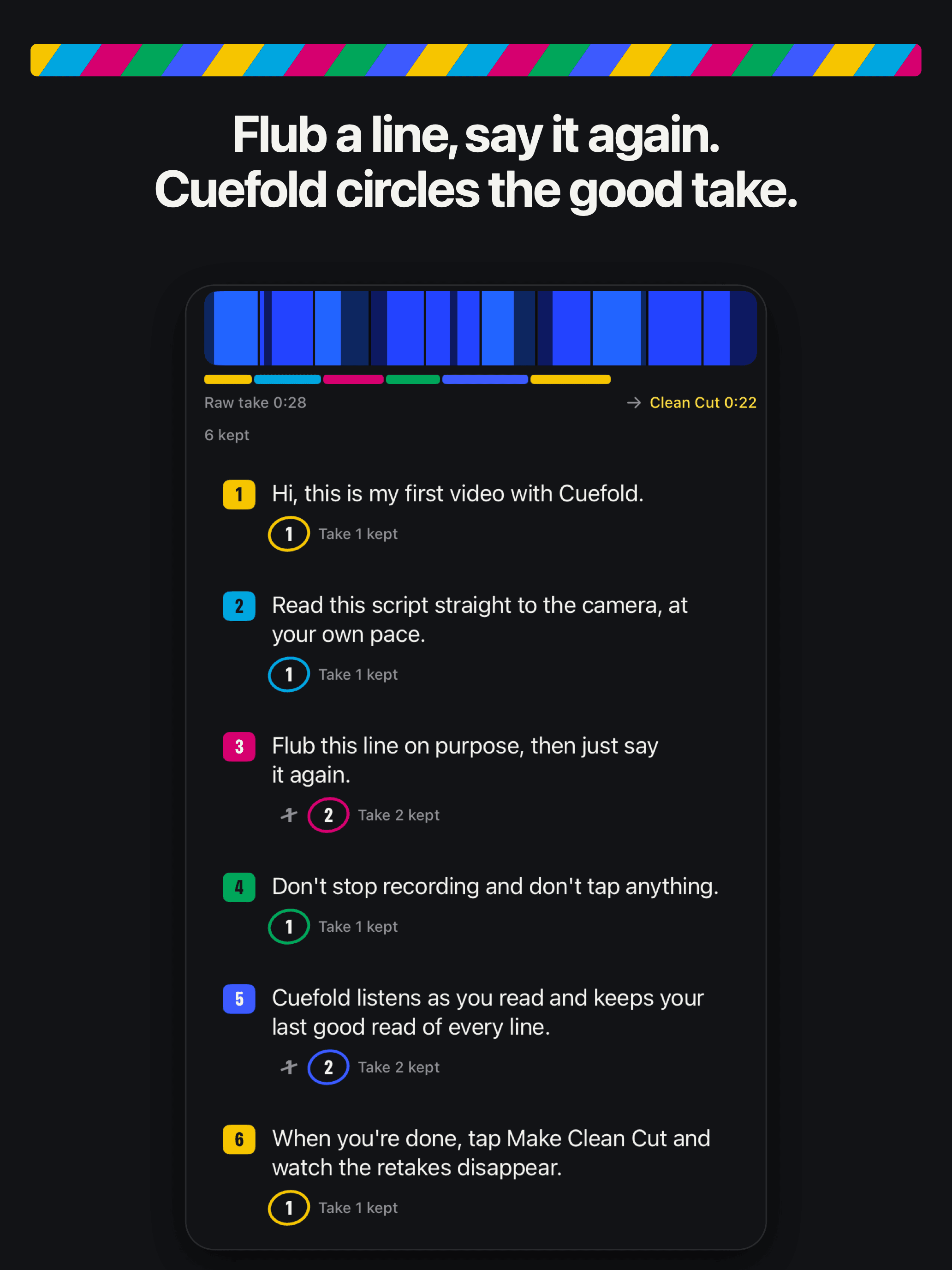
Cuefold is our own iPhone and iPad app. You read your whole script to camera in one take; when you flub a line you just say it again, and Cuefold keeps your last good read of every line and cuts out the rest. We designed, built and published it ourselves.


- Client
- Our own product, published by Tyche Labs Ltd
- Platforms
- iPhone and iPad, iOS 26 or later
- Status
- Live on the App Store since October 2026
- Team
- Designed, built and released in-house
The problem
Talking to camera means retakes. The usual way is to stop, start the line again, and later sit in an editor cutting out every flub. Teleprompter apps scroll the words for you, but the editing is still yours.
We wanted one continuous take with no editing at all: read the script, say a line again whenever you trip, and get back a finished video made of your last good read of every line. That meant speech recognition fast and accurate enough to follow a script live, on the device, in nine languages, without sending anyone's voice or script to a server.
What we built
A prompter that follows your voice
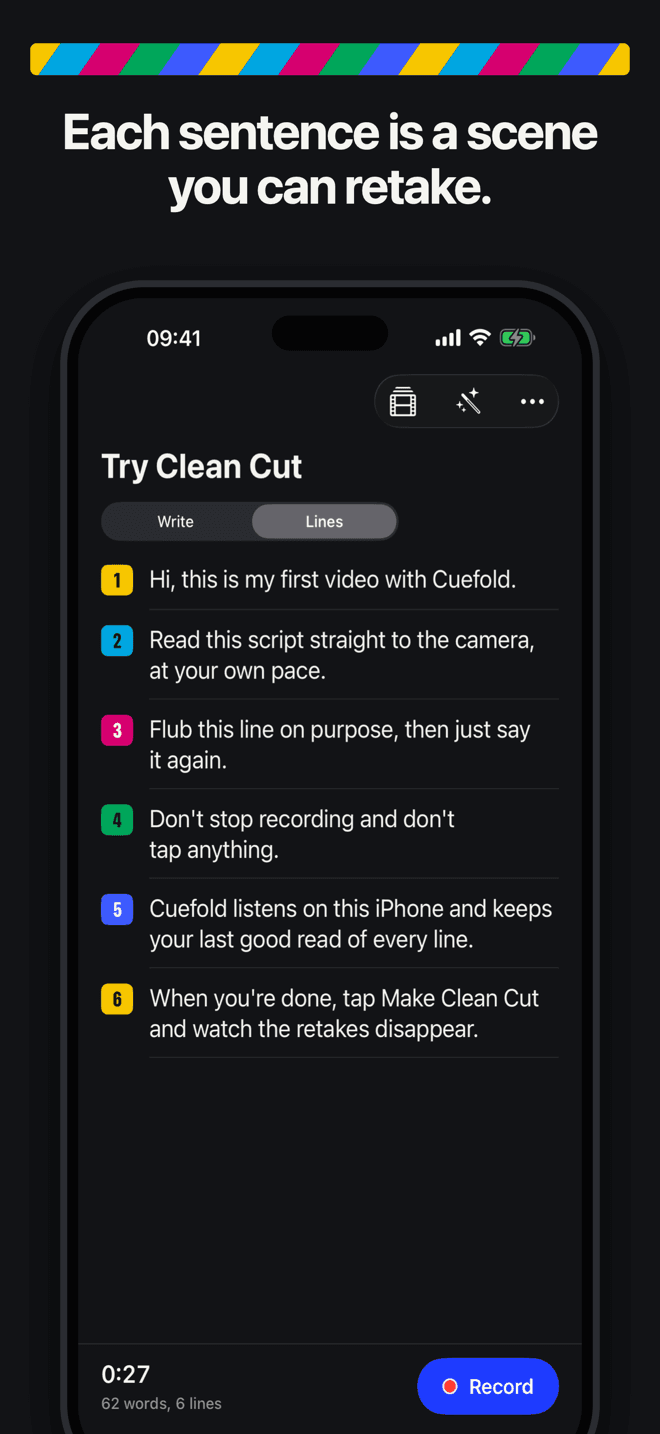
The script sits just under the lens and scrolls as you speak. When you restart a line, it eases back to that line instead of running on.
Clean Cut: the edit happens for you
Cuefold matches your speech to the script word by word, on the device, and splits the take into reads of each line. It assembles the last good read of every line into one video, with tidy joins, and flags any line worth checking.
We do this for clients: Speech, photo and video features, from £6,000
Every take kept, one swipe away
Each line keeps its other reads. Swipe a line to try a different one and the video updates instantly.
Captions spelled the way you wrote them
Captions use the script's own spelling with the timings from your speech, so names and jargon come out right.
iPad, and the outer screen on iPhone Duo
Cuefold runs natively on iPhone and iPad. On iPhone Duo, your script appears on the outer screen.
We do this for clients: iPhone Duo readiness review, from £2,500
Usage data and store listings through our own APIs
The app reports a fixed list of anonymous events, with consent, to a usage-data service we built on Google Cloud Run and BigQuery in London. Our App Store listings in nine languages are published through the App Store Connect API.
We do this for clients: API integration in 2 to 4 weeks, from £3,500
Nine languages
From version 1.0.1 the app is available in English, Spanish, Brazilian Portuguese, French, German, Japanese, Korean and Chinese (Simplified and Traditional).
From the stores
The stack
- Language
- Swift 6 with strict concurrency checking
- Interface
- SwiftUI, with Observation and SwiftData for storage
- Video
- AVFoundation: a custom capture pipeline writing video and audio with AVAssetWriter, and AVMutableComposition for the automatic edit
- Speech
- Apple's on-device speech recognition with word-level timings, plus our own alignment of speech to script. Audio never leaves the device.
- Writing tools
- Apple's on-device Foundation Models for optional script tools, shown only where Apple Intelligence is available
- Payments
- StoreKit 2 subscriptions, with Apple's standard subscription screen
- Analytics
- Our own first-party usage-data service on Google Cloud Run and BigQuery in London: anonymous events only, never scripts, audio or video, and no third-party SDKs
What has shipped
- Version 1.0The capture pipeline, the voice-following prompter, speech alignment and Clean Cut.
- Version 1.0.1Eight more languages and links that open straight into recording.
- Version 1.0.2Separate search keywords for the US, UK, Australian and Canadian App Stores, three custom product pages and an in-app code redemption screen.
- Version 1.0.5Clean Cut in Japanese and Chinese, and a choice of the language you read in. If Clean Cut can't find your lines, it listens to the saved take again and says what to try next.
The listing work after launch, keywords for each storefront, custom product pages and a featuring nomination, is what our App Store launch package does for clients, in 5 working days for £1,500.
What we learned building it
Decide early what never leaves the device
We decided before writing any code that scripts, audio and video would never leave the phone, and built every feature around that: speech recognition, the edit and the script tools all run on the device. It kept the privacy answers short and true. We do the same for clients.
Privacy by design
Scripts, audio and video never leave the device: speech recognition, the edit and the script tools all run on it. The app has no account and no ads. From version 1.0.1 it sends anonymous usage data (a random install ID and a fixed list of events) to our own service, with consent: outside the US people are asked first, in the US they see a one-time notice, and anyone can turn it off or delete their data in Settings.
After launch
Keep it working after launch
We keep Cuefold current on every iOS release ourselves. App care gives your app the same attention: each year's iOS update, App Review changes, crash fixes and 4 hours of changes a month.
App stuck or broken? Start with app rescueUp to 4 hours of changes a monthFits after this
App care
£550 a month
We keep your app working on each new iOS or Android, passing App Review or Play policy and looking current in the store, with time each month for changes.
What's coveredin App careUp to 1 hour of small edits a month
Website care
£95 a month
We keep your website online, up to date and secure, keep its bookings and payments working, and make the small changes you need each month.
What's coveredin Website careUp to 3 hours of changes a month
Website care Plus
£195 a month
Everything in Website care, with three hours of changes a month for sites that need new pages, offers or content most months.
What's coveredin Website care Plus2 reserved build days a month, more if you need them
Ongoing development
From £1,500 a month
From £1,500 a month for 2 reserved build days to keep improving your app or web product, with a backlog we prioritise together and a release each month.
What's coveredin Ongoing development
Work with us on an app
- More of our work
- Fixed-price offers
- Guides
- Why apps get rejected: 285 public App Review cases analysed
- What UK app and web agencies actually charge in 2026
- Guideline 4.3(a) design spam: whether to respond, appeal or rebuild
- App maintenance cost in the UK: what to budget per month
- Your developer has vanished: a 12-point app takeover checklist
- How much does an app cost to build in the UK in 2026
- How long does App Store review take in 2026?
- Why apps get rejected by App Store review and how to fix it
- Native vs Flutter vs React Native for a UK startup
- How much does a website cost in the UK in 2026?
- Do I need my own booking website if I use Fresha?
- How much does a salon website cost in the UK?
- Salon deposits and no-show fees: what's allowed in the UK
- Website for a physio clinic: what it needs
- The most expensive apps on the App Store in 2026
- App rejected by Apple: what to do next
- Guideline 2.1 App Completeness rejection: what it means and how to fix it
- Guideline 3.1.1 in-app purchase rejection: what it means and how to fix it
- Google Play Data safety rejection for installed apps: how to find the SDK and fix it
- How to play chess: rules, setup and how the pieces move
- How to play solitaire: Klondike rules, setup and strategy
- How to play backgammon: rules, setup and strategy
- How to play sudoku: the rules and the techniques that solve it
- How to play Ludo: rules, board and house rules
- How to play checkers: draughts rules, setup and kings
- How to play gin rummy: rules, knocking and scoring
- How to play dominoes: Draw and Block rules and scoring
- How to play mancala: rules, captures and strategy
- How to play carrom: board rules, the queen and scoring
- How to play spades: rules, bidding and scoring
- How to play reversi: rules, starting position and strategy
- How to play hearts: rules, passing, scoring and shooting the moon
- How to play eight-ball pool: rules, the rack, fouls and how to win
- How to play Chinese checkers: rules, setup and strategy
- How to play Spider solitaire: rules, setup and strategy
- How to play FreeCell: rules, moving runs and strategy
- How to play Four in a Row: rules, threats and strategy
- How to play tic-tac-toe (noughts and crosses): rules and how never to lose
- How to play dots and boxes: rules, chains and the double-cross
- How to play Snakes and Ladders: rules and house rules
- How to play Yacht: the five-dice game, scoring and strategy
- How to play Broadside: the pencil-and-paper naval game, rules and tactics
- How to play Codebreaker: the colour code game, rules and strategy
- How to play mahjong solitaire: rules, free tiles and strategy
- How to play Minefield: the mine-finding puzzle, rules and patterns
- How to play Merge Tiles: the 2048 sliding puzzle, rules and strategy
- How to play Block Puzzle: rules, combos and how to score more
- How to play Bubble Pop: bubble shooter rules and tips
- How to play Snake: rules, controls and how to get a high score
- How to play Brick Break: rules, power-ups and aiming tips
- How to play Rally: paddle-and-ball tennis rules and tips
- Words per minute for video scripts: script length calculator
- How to use a teleprompter: setup, speed and eye-line
- How to read a script naturally on camera (and not sound like you are reading)
- How to record a talking head video on iPhone: setup and settings
- Teleprompter app vs Autocue: what an autocue is and which you need
- How to record a talking video in one take, and keep the mistakes out
- Voice-activated teleprompter: how voice scrolling works and how to get the best from it
- How to film a short-form talking video for Reels, TikTok and Shorts
- How to record a LinkedIn video on your phone: script, setup and captions
- UK passport photo requirements: online and printed
- How to take a US passport photo at home
- Online passport renewal photo: the US digital photo rules
- US visa photo requirements for the DS-160
- UK visa and ETA photo requirements
- Schengen visa photo requirements
- Indian e-Visa photo requirements
- OCI photo requirements: size, file and background
- Diversity Visa (DV lottery) photo requirements: the entry photo, step by step
- Baby and child passport photos: the US and UK rules, and how to take one at home
- Irish passport photo requirements: Passport Online and paper forms
- New Zealand passport photo requirements for online applications
- Japanese passport photo requirements: size, face length and common mistakes
- Chinese visa photo requirements: size, head and the online form
- Can you take a passport photo with your phone? What each country accepts
- Australian passport photo requirements
- Canada visa photo requirements: visitor visa, study and work permits
- How to set up a Google Business Profile for a café (2026)
- Google Business Profile for hair salons and barbers
- How often should a café post on Instagram?
- Christmas social media ideas for cafés and salons
- What a social media manager costs a small UK business in 2026
Want an app built like this?
We build iPhone and Android apps for clients with the same care. Our iPhone app MVP takes 6 to 10 weeks, from £15,000; typically £15,000 to £25,000.
or call 020 7078 5151. We reply within one working day.